Never Let a "Deer in the Headlights" Moment Wreck Your Worship Service Again
If you or your team has ever gotten stuck on what to do mid-service, fumbled a slide change while everyone waited, or just felt one moment away from an on-screen disaster, this training will fix that in a single weekend.
Join Paul Alan Clifford, creator of hundreds of ProPresenter tutorials and founder of the Official ProPresenter Users' Community, for a live, IN-PERSON training in the Corpus Christi area.
WHEN: September 25 from 6-9p and
September 26 from 9a-4p
WHERE: Harvest Tabernacle, Corpus Christi, TX
Heads up: this class runs once we hit 15 registrations, and seats lock in as soon as we get there. Register early to help us reach that number — and to guarantee your spot.
This class includes ALL THREE of the following 3-hour sessions
(9 hours total of class time on 1.5 days)
ProPresenter Basics
Learn the basics of ProPresenter, the organization of the UI, how to add screens, how to navigate between slides, what layers are, and more. This is the PERFECT class if you have team members who have never used Pro7 OR if your church is new to the software.
Topics to be covered (as time permits):
Basics:
Set up:
-Types of screens.
-Adding screens.
-The type of screen you should not add in screen configurations
-Enable/disable screens (and the limitations of those buttons)
House of worship integrations
Tour of the UI:
Libraries: different libraries and the advantages of using multiples
Playlist and playlist folders
What is a presentation?
Media playlists
Smart playlists
Media problems to avoid
Types of media and media behaviors.
Screen preview area
PlayHead for the slides layer, the announcement, layer, and the audio bin.
Show controls.
-Audio bin.
-Timers
-Messages.
-Props
-Macros
Creating and importing presentations:
-Importing song slides.
-explanation of the import dialogue
-Using CCLI’s song select.
-Using multi tracks.
-Importing sermon notes.
-Using Bible mode.
-Importing PowerPoint.
The editors:
-Slide editor.
-Quick edit.
-Theme editor
-Reflow editor.
ProPresenter Intermediate
Take your knowledge of ProPresenter to the next level. If you or your team are familiar with the basics, but know there's more you can do, BUT don't know how to do it, THIS is the class for you. Whether you attended the basics class OR figured that much out on your own, this class will help you learn more and be able to do more.
Topics to be covered (as time permits):
Anything not covered during time for the basics and
Intermediate:
Groups
Arrangements
Builds
Themes
CCLI information.
Looks.
Preservice slide loops.
-Go to next timer.
-Automatic slide timing.
Stage screen layouts
Countdowns.
Messages.
Props.
Actions
Macros.
Layers.
Clear groups
Alternate themes in looks
Stage screen app.
Pro remote app
Other topics as raised by questions and maybe a few hacks and more advanced topics, if time allows.
ProPresenter Advanced (optional)
MASTER ProPresenter with things you didn't dream possible with this incredible software (this is for those who have already attended the BASICS & INTERMEDIATE class OR are VERY proficient with the software).
ADVANCED topics include some or all of the following (depending on time and interest):
Alpha keying (with and without BMD hardware)
Streamdeck with companion
How to make an operator screen
How to have a different number of lines on different outputs
How to key live and prerecorded videos inside of ProPresenter
How to put different props on different screens
How to put different messages on different screens
How to do digital signage with ProPresenter
How to remove special formatting from secondary displays
Three ways to sometimes display text on one screen, but not another
How to capture your phone's or iPad's screen to emulate Pro6's Telestrator (with and without Video Pencil)
How to augment a switcher multiview
How to format CCLI information differently for different screens
How to format one screen for an LED wall with different numbers of words and formatting
How to do advanced text automation
How to automatically delay second (and subsequent) lines in ProPresenter
How to use ProPresenter to add subtitles to short-form (and vertical) videos
How to add lyrics in multiple languages
How to add multiple translations that DON'T break on each verse
How to emulate the PowerPoint presenter screen
How to simulate PowerPoint Animations
How to play DVDs
How to have a slide clear on one screen, but not another
Faking a supersource
How to use ProPresenter as a video switcher
PLUS: An opportunity to try and stump Paul with things you don't think ProPresenter can do.
Don't take my word for it!
Here's what people just like you have said about my training:
"WOW! Lots of great information. Paul knows ProPresenter and explains well. I got a great overall view of everything the software can do and got my questions answered without hesitation. It was awesome meeting Paul and the others. I know Paul is such a generous teacher that I can reach out as needed!"
-Cissie G.
"My team really got a lot out of training."
-Paul R.
"We had him in East Texas when he was in the area. Super helpful and easy to work and communicate with to have a great training meeting for your volunteers!"
-Erick G.
Your Corpus Christi Discount Codes Expire In:
Codes 2609CC50CHURCH and 2609CC25SINGLE expire September 11, 2026. After that, it's full price.
00
DAYS
00
HOURS
00
MINS
00
SECS
HURRY! Book Your Seat By September 11th and Walk Out With Way More Than a Weekend of Training
One and a half days in a room with me is going to change how your team runs ProPresenter, BUT I don't want you walking out with just training. I want you walking out with everything you need to actually use it every weekend!
Here's what's included with your ticket, no matter when you register:
FIVE of my own motion graphics, ready to drop straight into your library. These aren't stock loops; they're not available anywhere else. They're graphics I've actually made and used. Skip the hours hunting stock sites, skip the cost of hiring a designer, just import them and go.
My personal notes from the class. Everything I teach you across the weekend, written down and handed to you. So when the weekend hits, you're not relying on memory.
That's the standing offer. Every person who buys a ticket gets both, full stop.
BONUS: Here's the part that's only around until September 11th!
Register before then, and I'll also throw in the ProPresenter New User's Survival Sheet, the exact cheat sheet I built to get a brand-new volunteer running a full Sunday service solo. Hand it to whoever's next in line to run the booth, and they're ready before they've even sat through a full training.
After September 11th, the Survival Sheet goes away. The motion graphics and the notes are yours either way.
REGISTER BEFORE SEPTEMBER 11TH & LOCK IN YOUR BONUS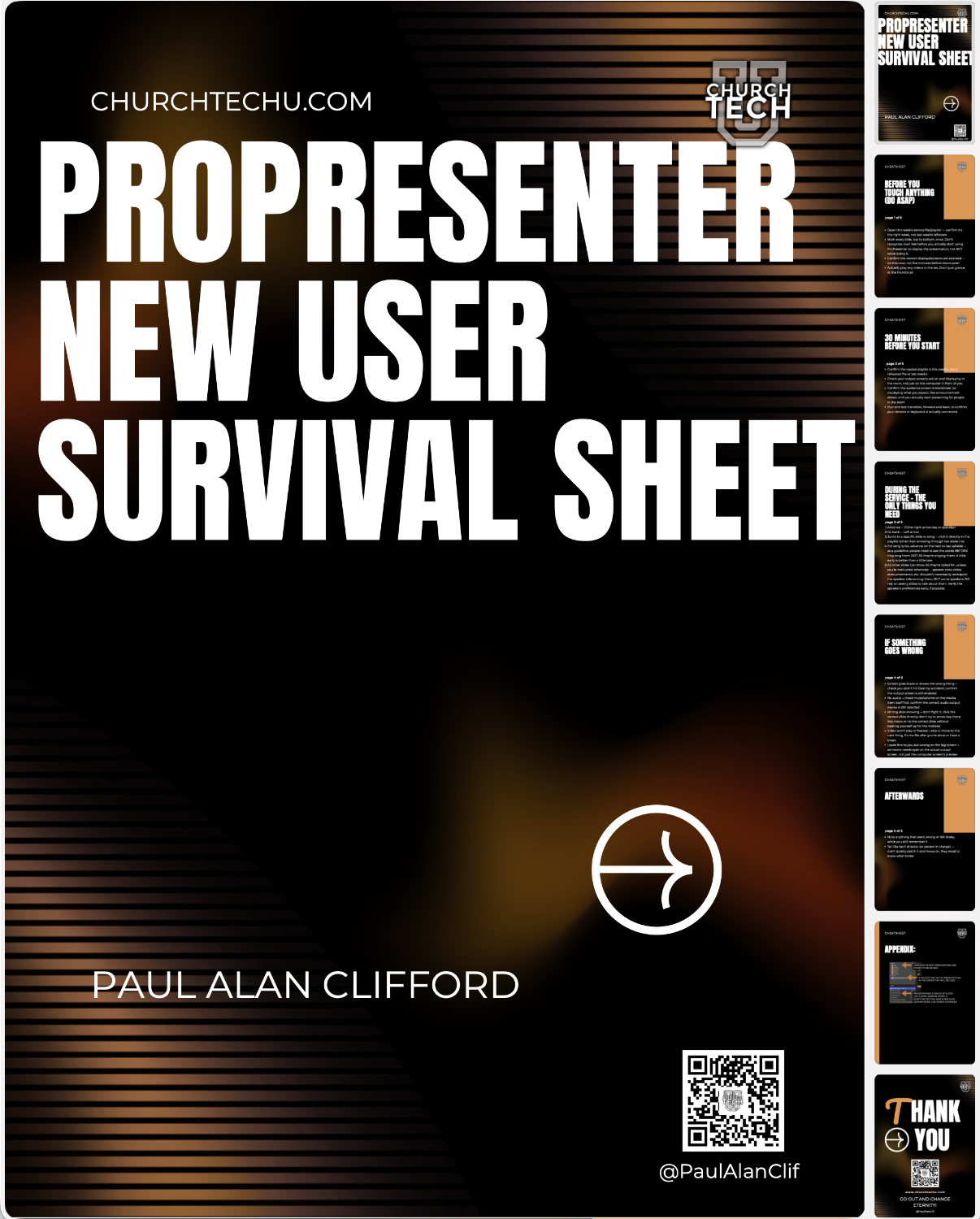
Register for the class for either an individual or your whole team*
Choose whether you are buying an individual or Church ticket (up to 5 people, with the option to add more later)!
ProPresenter Accelerator In-person Class CHURCH rate (Beginner and intermediate only)
$397
Pay only $397 $347 for your WHOLE team (*2 to 5 people; talk to me if you need to bring more so that we can insure there's enough space and get additional tickets at the discounted per person church rate).
SAVE $50 when you use code 2609CC50CHURCH at checkout. Expires September 11, 2026.
This is a 6 hour class on Friday September 25, 2026 from 6-9pm and Saturday, September 26, 2026 from 9a-noon
ProPresenter Accelerator In-person Class CHURCH rate (Complete, includes ALL THREE sessions)
$447
Pay only $447 $397 for your WHOLE team (*2 to 5 people; talk to me if you need to bring more so that we can insure there's enough space and get additional tickets at the discounted per person church rate).
SAVE $50 when you use code 2609CC50CHURCH at checkout. Expires September 11, 2026.
This is a 9 hour class on Friday September 25, 2026 from 6-9pm and Saturday, September 26, 2026 from 9a-4p (with a 1-hour lunch break)
ProPresenter 7 Accelerator in-person (Basics and intermediate only)
$147
Pay only $147 $122 for ONE person.
SAVE $25 when you use code 2609CC25SINGLE at checkout. Expires September 11, 2026.
This is a 6 hour class on Friday September 25, 2026 from 6-9pm and Saturday, September 26, 2026 from 9a-noon.
ProPresenter 7 Accelerator in-person (Complete, includes all THREE sessions)
$197
Pay only $197 $172 for ONE person.
SAVE $25 when you use code 2609CC25SINGLE at checkout. Expires September 11, 2026.
This is a 9 hour class on Friday September 25, 2026 from 6-9pm and Saturday, September 26, 2026 from 9a-4pm (with a 1-hour lunch break)
Why 15 people? This class only runs once we've got 15 registrations locked in — that's what makes the trip worth it for everyone driving in, including me. Once we hit that number, the class is confirmed and registration is final (no refunds), so grab your seat knowing we're all in this together.